5 Chrome Extensions That Actually Saved My Sanity (and Productivity) in 2026
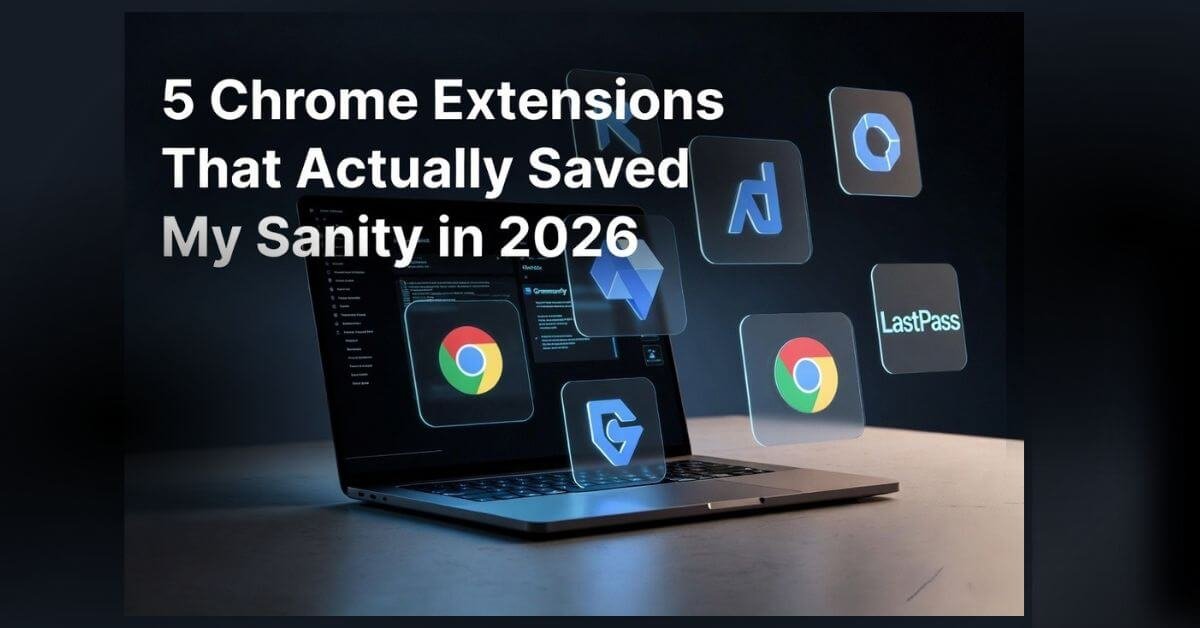
Let’s be honest: most Chrome Extensions in the Chrome Web Store claiming to fix your workflow are just extra noise. There are over 111,000 extensions out there, and more than 55% of them claim they’ll miraculously fix your workflow. Spoiler alert: they won’t.
True productivity isn’t about willpower anymore. It’s about building a clean, lightweight “tech stack” that handles the boring, repetitive tasks so you don’t burn out by noon. We’ve all been there—you open your browser with a solid to-do list, get sidetracked by a random research rabbit hole, and suddenly you’re drowning in 40 open tabs with zero actual work done. Last month I caught myself with 67 tabs open and a headache at 11am. That was the final straw.
If your browser feels like a chaotic mess of notifications and tab overload, you’re definitely not alone. But working harder isn’t the answer. The goal is to offload the busywork to smart tools so you can save your energy for the tasks that actually move the needle.
These are the 5 highly-rated Chrome extensions I rely on to turn a cluttered browser into a focused workspace.
1. StayFocusd: The Brutal Distraction Killer
If you struggle with digital discipline or find yourself doom-scrolling when you should be writing, this tool is a reality check. StayFocusd lets you set a strict daily time limit on time-wasting sites. Once you hit that limit, it locks you out. No exceptions.
The Best Part: Its famous “Nuclear Option.” If you activate this, it blocks your chosen problem sites for a specific duration, and you physically cannot undo it until the timer runs out. I turn on the Nuclear Option every Friday — it’s saved more deep work sessions than I can count. It even lets you hide specific distracting elements—like YouTube Shorts or comment feeds—while leaving the educational video intact.
Quick Stats: Over 2 Million Users | 4.5-star rating | Syncs smoothly with StayFree mobile.
Perfect For: Forcing yourself into deep work sessions.
2. Workona Tab Manager
For the Chronically Cluttered Tab bloat doesn’t just destroy your computer’s RAM; it completely kills your mental focus.
Workona solves this by organizing your chaotic browser into clean, isolated workspaces. Instead of having 30 tabs mixed together, you can build a dedicated space for content research, another for backend site management, and a clean one for daily reading. It also pulls your global search tabs and Google Drive files right into one place.
The Best Part: It automatically suspends background tabs to keep your computer running fast without lagging your workspace.
Quick Stats: 200,000+ users | 4.6-star rating | Free plan includes up to 5 isolated workspaces with unlimited saved tabs.
Perfect For: Anyone who manages intensive, multi-tab research projects.
3. Deatiled SEO Extension
The Creator’s Cheat Code If you run a website or write content, digging through page source code to figure out why a competitor is ranking high is an absolute chore. Detailed extracts deep SEO insights from any webpage in literally milliseconds. It’s an incredible tool for running a rapid technical audit on your own site or reverse-engineering top-ranking articles. With one click, you can instantly see heading hierarchies (H1–H6 tags), meta descriptions, open graph tags, and clean up your on-page strategy on the fly.
The Best Part: It gives you a clean visual breakdown of site architecture without lagging your browser.
Quick Stats: 450,000+ users | 4.9-star rating | Maintained by the team at Ahrefs.
Perfect For: Bloggers, developers, and SEOs who need quick data without the fluff.
- Perplexity AI:
Your Sidebar Research Partner Opening a new tab every single time you need to look up a quick fact or summarize a massive article is a major flow-breaker. The Perplexity extension drops an advanced AI assistant directly into your active window as a sidebar. Instead of just acting as a generic chatbot, it reads the exact page you are looking at. You can ask it to instantly summarize a heavy 3,000-word industry report, extract the key data points, or run parallel web searches.
The Best Part: Every single claim it makes comes with inline citations. You can click the sources directly to fact-check, making your research completely bulletproof.
Quick Stats: Hundreds of thousands of active users | Real-time web access.
Perfect For: Fast, source-backed web research and page scraping.
- Grammarly: The Non-Negotiable Writing Safeguard
Even though it’s an industry veteran, Grammarly remains an absolute must-have in my toolbar. Over the years, this extension has easily earned its spot among my absolute favourite Chrome Extensions. As a non-native English speaker, it’s easy to get stuck trying to balance a smooth, natural flow with perfect technical accuracy. That’s exactly where Grammarly steps in to clean up my grammar, vocabulary, and phrasing. Even with the massive rise of AI prompt tools, it remains completely relevant because of how seamlessly its built-in AI assistant integrates directly into your daily workflow.
The Best Part: It catches errors in real time as you type across Gmail, WordPress, or Google Docs, offering instant AI-powered rewrites to polish your sentence structure without changing your core message.
Quick Stats: Over 38 Million users | 4.5-star rating | Advanced AI context features.
Perfect For: Polishing blog drafts, emails, and ensuring flawless, professional communication.
My Advice: Choose the Right Chrome Extensions
True productivity isn’t about hoarding dozens of shiny new extensions; it’s about picking a few reliable tools that fit the way you actually work. When you pair a focus defender like StayFocusd with a structural tool like Workona and data-gatherers like Detailed, you let automation handle the heavy lifting.
Open your extensions toolbar right now, ruthlessly remove anything you haven’t used in the past month, and add just 2–3 tools that actually solve your biggest pain points.